
Top 7 CI/CD Tools and Continuous Integration Platforms in 2026
GitHub Actions, GitLab CI/CD, Jenkins, Argo CD, CircleCI, Buildkite and Harness compared on pricing, deployment model and real limitations. Verified September 2026.

Top 7 CI/CD Tools and Continuous Integration Platforms in 2026
For platform teams and engineering leads choosing where builds and deploys run. The market has split: hosted CI has gone usage-based and metered per minute, while deployment has drifted toward GitOps controllers that reconcile Kubernetes state instead of running deploy scripts. Pricing and figures verified September 2026.
The strongest continuous integration tools in 2026 are GitHub Actions, GitLab CI/CD, Jenkins, Argo CD, CircleCI, Buildkite and Harness. GitHub Actions dominates by default because most code already lives on GitHub. Jenkins still runs the largest self-hosted install base. Argo CD owns Kubernetes delivery. The real decision is not which tool is best — it is whether you want a managed runner bill, your own compute, or a GitOps controller that never runs a build at all.
How we picked these
Four criteria, applied in this order:
- Adoption and staying power. Tools with real production install bases, not launch-week attention.
- Distinct architectural position. Each entry solves the problem differently — hosted runners, self-hosted agents, plugin-driven servers, or pull-based GitOps reconciliation. Seven near-identical hosted CI products would be a useless list.
- Verifiable public documentation. Pricing, licensing and feature claims below come from each vendor's own pricing pages, docs and changelogs. Where a vendor does not publish a number, this piece says "pricing on request" rather than guessing.
- Fit for a named job. Every entry has a situation where it is the obvious answer.
Ranking runs roughly from broadest default choice to most specialized. We applied the same method to internal developer platforms and workflow orchestration platforms. That is a judgment call, and the "How to choose" section at the bottom matters more than the ordinal position.
Quick comparison
| Tool | Best for | Deployment | Pricing model |
|---|---|---|---|
| GitHub Actions | Teams already on GitHub | SaaS + self-hosted runners | Per-minute metered, free tier by plan |
| GitLab CI/CD | One platform for SCM, CI, security | SaaS, self-managed, dedicated | Per user/month + compute minutes |
| Jenkins | Full control, unusual build environments | Self-hosted only | Free, open source (MIT) |
| Argo CD | Kubernetes continuous delivery | Self-hosted (in-cluster) | Free, open source (Apache 2.0) |
| CircleCI | Managed CI with large machine classes | SaaS + on-prem server | Credit-based, usage metered |
| Buildkite | Big builds on your own compute | Hybrid control plane | Per active user/month + optional hosted compute |
| Harness | Enterprise delivery with governance | SaaS + self-hosted | Free tier, paid tiers on request |
1. GitHub Actions
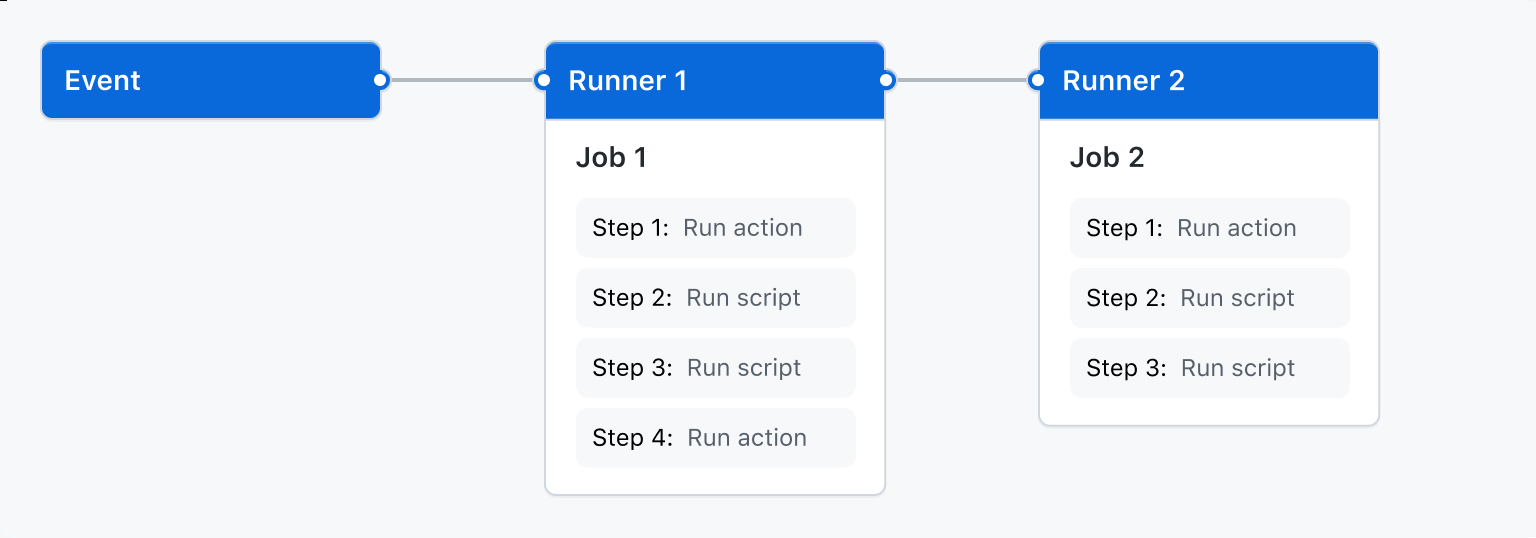
GitHub Actions is the CI/CD system built into GitHub. Workflows are YAML files in .github/workflows, triggered by repository events, and executed either on GitHub-hosted runners or on machines you register yourself. Its real advantage is distribution, much like the ecosystem effect seen among AI coding assistants: the marketplace of reusable actions means most common steps — checkout, language setup, cloud auth, container publish — are one line rather than a script.
Billing is metered per minute against a monthly quota. Per GitHub's billing docs, standard runners are free on public repositories, and self-hosted runners are free regardless of repository visibility. Private repositories get 2,000 minutes/month on Free, 3,000 on Pro and Team, and 50,000 on Enterprise Cloud. Beyond quota, a Linux 2-core runner is $0.006/minute, Windows 2-core $0.010, and macOS $0.062 — a roughly tenfold spread that quietly decides most Actions bills.
Best for: teams whose code is already on GitHub and who want CI with no separate vendor.
Pros
- Standard GitHub-hosted runners are free on public repositories, with no minute cap.
- Self-hosted runners incur no per-minute GitHub charge, so heavy workloads can move to your own hardware.
- Very large action marketplace reduces bespoke pipeline scripting.
- Published per-minute rates and runner SKUs, so cost is modelable before you commit.
Cons
- macOS minutes cost about ten times Linux, which makes iOS pipelines expensive fast.
- Artifact storage overage bills at $0.25/GB-month, and GitHub's docs note storage accrues hourly — deleting artifacts stops future charges but does not refund accrued ones.
- Deployment is not opinionated: Actions runs your deploy commands but provides no reconciliation or drift detection.
- Strongly coupled to GitHub. Migrating off means rewriting workflows, not repointing them.
2. GitLab CI/CD
GitLab bundles source control, CI/CD, security scanning and compliance into one application, configured through a single .gitlab-ci.yml. For organizations that would otherwise buy four tools and integrate them, that consolidation is the pitch — and it comes with three deployment shapes: GitLab.com SaaS, self-managed on your own infrastructure, and single-tenant Dedicated.
Pricing is per user with bundled compute. Per GitLab's pricing page, Free includes 400 compute minutes per month, 10 GiB storage and a 5-user limit per top-level group. Premium is $29 per user/month billed annually with 10,000 compute minutes. Ultimate is custom-priced and includes 50,000 compute minutes plus the security and compliance modules. AI features are sold separately as a GitLab Credits add-on rather than bundled into the seat price.
Best for: organizations that want SCM, CI, and security scanning under one license and one audit trail.
Pros
- Self-managed and Dedicated options give data-residency control that pure SaaS CI cannot.
- Compute minutes are bundled into the seat price rather than billed separately at every tier.
- Security scanning and compliance controls ship in-platform instead of as bolt-on integrations.
- Free tier includes real CI, not a trial.
Cons
- The $29/user/month Premium tier is a per-seat cost even for users who rarely touch pipelines.
- Free tier's 400 compute minutes and 5-user cap are tight enough to be a demo rather than a working plan.
- Ultimate pricing is not published, so the top tier requires a sales conversation to budget.
- Self-managed installs move the maintenance burden — upgrades, runners, storage — onto your team.

3. Jenkins
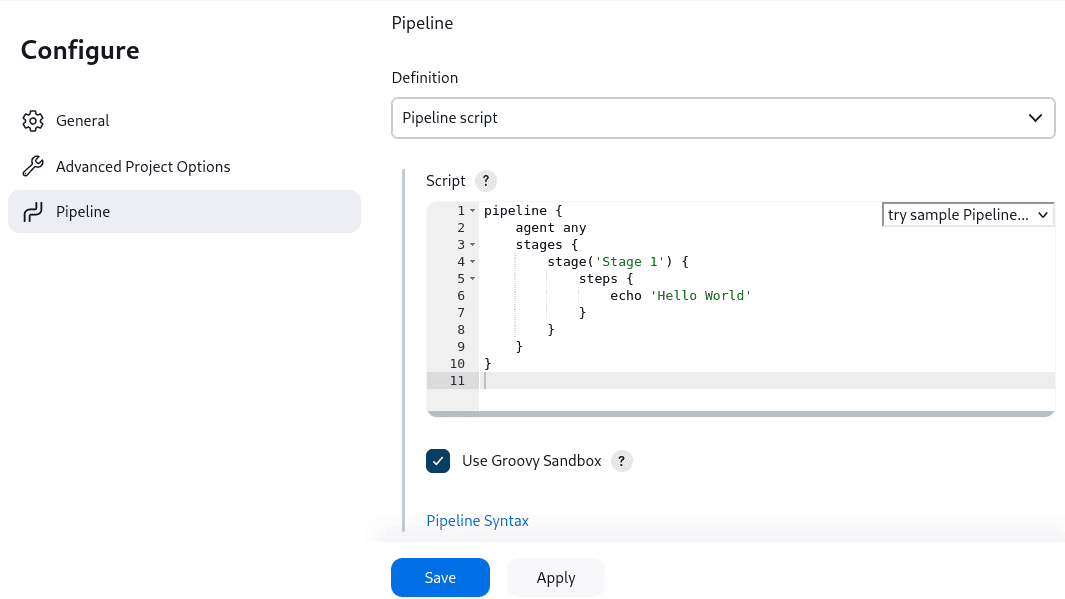
Jenkins is an open-source automation server written in Java, and it is still the most-installed self-hosted CI system in the enterprise. Its documentation describes it plainly as a self-contained automation server for building, testing and deploying. Pipelines are defined in a Jenkinsfile; almost everything else — cloud auth, test reporting, deployment targets — arrives through its plugin ecosystem.
That plugin model is both the reason Jenkins survived and the reason it is painful. There is a plugin for essentially any build tool, VCS, artifact store or notification channel invented since 2011. There is also no managed hosting from the project, no vendor SLA, and a security surface that grows with every plugin you install.
Best for: builds with unusual hardware, network or compliance requirements that hosted CI cannot reach.
Pros
- Free and open source under the MIT license, with no seat or minute metering at any scale.
- Runs anywhere a JRE runs, including air-gapped and on-prem networks.
- Plugin coverage for legacy toolchains that modern hosted CI never supported.
- No vendor can change your pricing model or deprecate your runner class.
Cons
- You own everything: controller uptime, agent fleet, upgrades, backups, and plugin CVE patching.
- Plugin quality varies widely, and abandoned plugins are a recurring security and upgrade problem.
- No first-party managed cloud, so there is no path to offloading operations without third parties.
- Configuration drift on long-lived controllers is a well-known failure mode unless you enforce config-as-code.
4. Argo CD
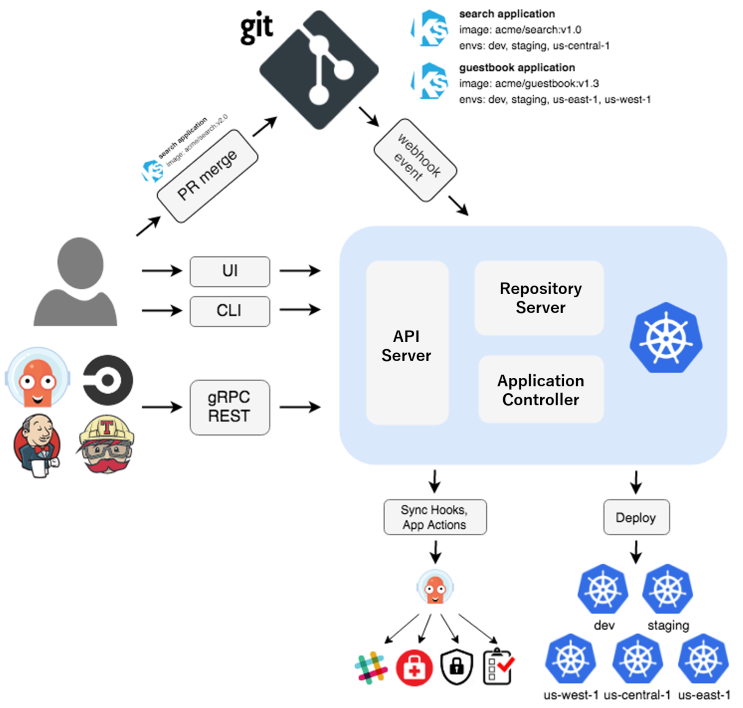
Argo CD is a declarative GitOps continuous delivery controller for Kubernetes, and a graduated CNCF project. It does not build anything. It runs inside your cluster, watches a Git repository holding your manifests, and continuously reconciles live cluster state against that repository — reporting drift and optionally correcting it automatically.
That pull-based model is the structural difference from every other entry here. A CI system pushes changes into a cluster and then forgets about them; Argo CD treats Git as the ongoing source of truth. Its ApplicationSet controller generates applications across many clusters or repositories from a single template, which is what makes fleet-scale deployment tractable. The project is on the 3.x release line, with upgrade documentation running through v3.5.
Best for: teams deploying to Kubernetes who want drift detection and Git-backed rollback.
Pros
- Apache 2.0 licensed and a graduated CNCF project, with no commercial license gate on core features.
- Continuous reconciliation detects out-of-band cluster changes that push-based CD misses entirely.
- ApplicationSet generators handle multi-cluster and multi-tenant deployment from one definition.
- Built-in SSO integrations and RBAC documented for Okta, Keycloak, Google, AWS Identity Center and others.
Cons
- Kubernetes only. If you deploy VMs, serverless functions or mobile artifacts, it does not apply.
- Not a CI tool — you still need something else to build and test, so it is always half a stack.
- Operating it well requires real Kubernetes expertise, including HA setup and repo-server tuning.
- No vendor support by default; commercial support comes from third parties, not the project.
5. CircleCI
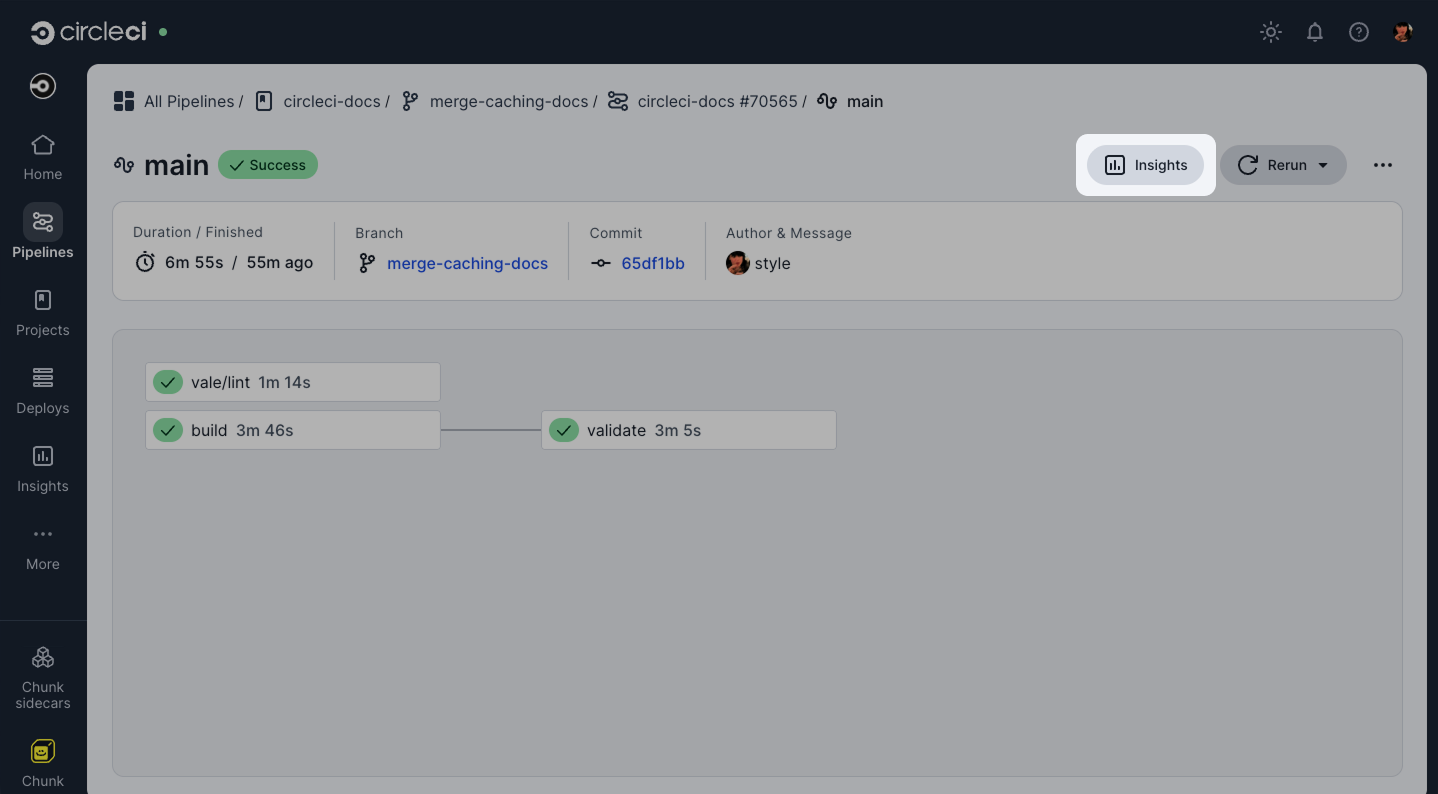
CircleCI is managed CI/CD with an unusually wide range of execution environments — Docker, Linux VM, Arm, Windows, macOS on M4 hardware, GPU instances, and self-hosted runners — all addressed from the same config file. Where GitHub Actions gives you a handful of runner sizes, CircleCI exposes resource classes up to 2XL+ and, on its top tier, GPU machines.
Billing runs on credits rather than minutes, which is either flexible or opaque depending on your tolerance. The Free plan includes up to 6,000 build minutes and 5 active users. Performance starts at $15/month with 30,000 credits included and 80x concurrency; additional credits are $15 per 25,000. Open-source projects can draw up to 400,000 credits/month on Linux, Arm and Docker. A self-hosted Server product exists for on-prem requirements.
Best for: teams needing macOS, Arm or GPU builds without maintaining that hardware themselves.
Pros
- Broadest published execution-environment range of any hosted CI here, including GPU classes.
- Substantial open-source allowance — 400,000 credits/month, per CircleCI's pricing FAQ.
- Self-hosted runners and an on-prem Server option coexist with the cloud product.
- Flaky-test detection is built into Insights rather than sold as an add-on.
Cons
- The credit system adds a conversion step between usage and dollars that minute-based pricing does not.
- Free-plan credits expire monthly and do not roll over; paid credits expire after 12 months.
- Docker layer caching is billed separately at 200 credits per job run (about $0.12), so it is not free speed.
- Scale-tier pricing is quote-only, and SSO and config policies are restricted to that tier.
6. Buildkite
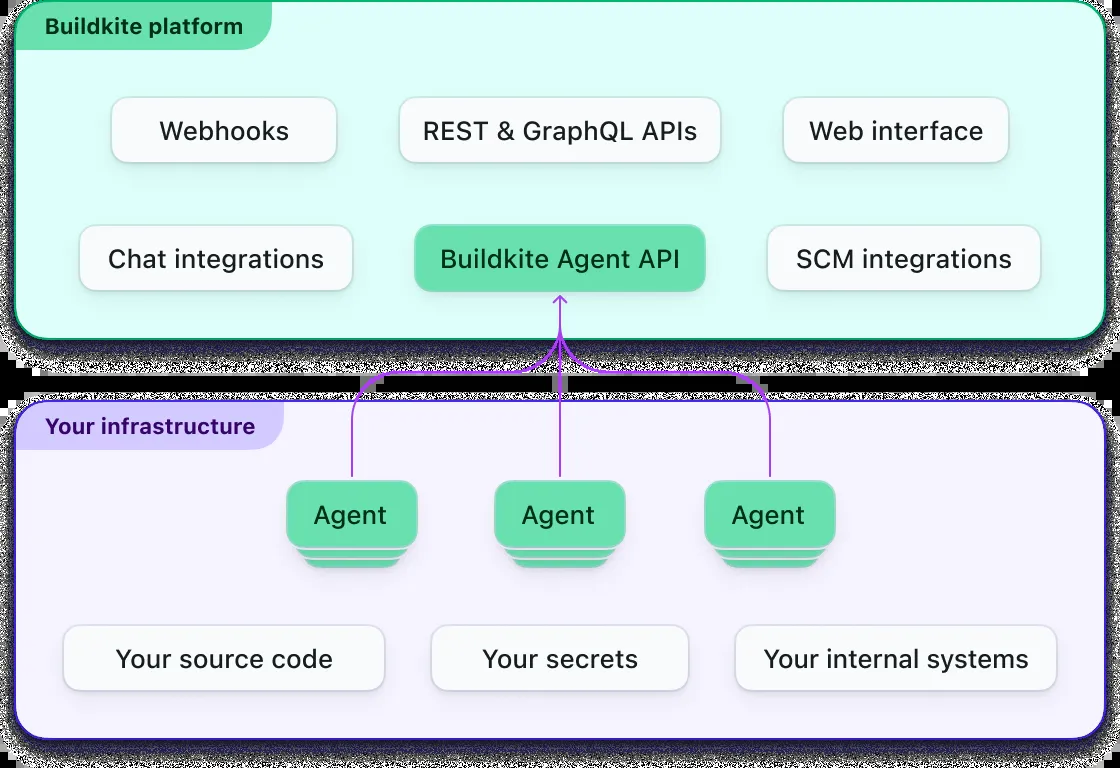
Buildkite inverts the hosted-CI model: Buildkite runs the control plane, scheduling and UI, while build jobs execute on agents you run — in your own cloud account, behind your own firewall, on whatever machine size you want. Hosted agents are available too, but the self-hosted path is the reason large engineering organizations pick it. It is also the reason cost does not scale linearly with build volume.
Pricing reflects that split. Free covers up to 5 users and 10 concurrent jobs. Pro is $30 per active user/month for up to 50 users, with 10 self-hosted agents included and additional agents at $3.50/agent/month. Enterprise is custom, carries a 30-user minimum, and is where the 99.95% uptime commitment, SCIM, custom SAML and audit log exports live. Hosted Linux compute bills at $0.004 per vCPU-minute; Mac at $0.02.
Best for: large monorepos and Bazel builds where you want to control the build machines.
Pros
- Self-hosted agents mean build compute cost is your cloud bill, not a CI vendor markup.
- Dynamic pipelines let a build step generate the rest of the pipeline at runtime — useful for monorepos.
- Hosted agent pricing is published per vCPU-minute and metered to the second, with no rounding.
- Unlimited agent concurrency on Enterprise; the company states it handles customers running over 100,000 concurrent agents.
Cons
- You still operate the agent fleet on the self-hosted path — autoscaling, images and patching are yours.
- Per-active-user pricing plus per-agent fees means two variables to forecast instead of one.
- The 30-user minimum on Enterprise effectively prices out smaller teams that want SSO or audit logs.
- Single sign-on is Pro and above; SCIM and custom SAML are Enterprise only.
7. Harness
Harness is a modular software delivery platform rather than a CI tool. Continuous Integration is one module alongside Continuous Delivery and GitOps, Infrastructure as Code Management, Security Testing Orchestration, Feature Management, Database DevOps, Artifact Registry and Cloud Cost Management. The pitch is that a platform team buys governance, policy and cost visibility across the whole delivery path from one vendor.
Its Free plan includes Harness Open Source and Litmus Chaos with community support. Above that, the Essentials plan bundles CI, CD, IaC and security, while Enterprise lets you pick modules individually. Neither paid tier publishes a price — both route to sales.
Best for: enterprises consolidating delivery, security testing and cost governance under one platform.
Pros
- Module breadth covers delivery concerns that most CI tools leave to separate vendors.
- Free tier includes an open-source core plus Litmus chaos engineering, not just a trial.
- GitOps and pipeline-based CD ship together, so Kubernetes and non-Kubernetes targets coexist.
- Enterprise plan is modular, so you are not forced to buy the full bundle.
Cons
- No published pricing on either paid tier, which makes budgeting a sales-cycle exercise.
- Platform breadth brings platform complexity; it is heavier to adopt than a single-purpose CI tool.
- Premier support and a dedicated account manager are Enterprise-only.
- Modular pricing can accumulate — each additional module is a separate line item.
How to choose
Your code is on GitHub and you have no strong constraint. Use GitHub Actions. The integration cost is zero and public repos build free. Watch macOS minutes.
You want one vendor for repos, pipelines and security scanning. GitLab CI/CD, at $29/user/month on Premium. The consolidation argument only pays off if you actually retire the tools it replaces.
Builds need hardware or network access that hosted CI cannot reach. Jenkins. It is free and it runs anywhere, and you are paying in operational labor instead of license fees.
You deploy to Kubernetes. Argo CD, paired with any CI system above. Drift detection and Git-backed rollback are not things a push-based pipeline gives you.
You need macOS, Arm or GPU builds without owning the hardware. CircleCI. Model the credit math before committing — it is the least transparent pricing here.
Build volume is large and you already run cloud infrastructure well. Buildkite. Keeping compute on your own account is usually cheaper at scale than any per-minute rate.
You are a platform team buying governance, not just build minutes. Harness. Expect a sales process and a longer adoption curve. Pair whichever you pick with real pipeline telemetry — see our roundup of observability and APM tools.
Frequently Asked Questions
What are CI/CD tools?
CI/CD tools automate the path from a code commit to a running deployment. Continuous integration builds and tests every change; continuous delivery or deployment pushes passing changes to environments. They fall into three shapes: hosted runners, self-hosted servers, and GitOps controllers that reconcile declared state.
Is Jenkins still worth using in 2026?
Yes, for specific cases. Jenkins remains free, open source and self-hosted, which matters for air-gapped networks, unusual hardware, and legacy toolchains that hosted CI never supported. The tradeoff is that you own controller uptime, agent fleets, upgrades and plugin security patching yourself.
Is Argo CD a CI/CD tool?
Argo CD is a CD tool, not a CI tool. It does not build or test code. It runs inside a Kubernetes cluster, watches a Git repository of manifests, and reconciles live cluster state against it. You pair it with a CI system that produces the images and manifests.
Is GitHub Actions free?
Standard GitHub-hosted runners are free on public repositories, and self-hosted runners carry no GitHub per-minute charge. Private repositories get a monthly quota — 2,000 minutes on Free, 3,000 on Pro and Team, 50,000 on Enterprise Cloud — after which usage bills per minute by runner type.
What is the difference between CI and CD tools?
CI tools run on every commit: compile, test, lint, scan, produce an artifact. CD tools take a verified artifact and put it into an environment, handling approvals, rollout strategy and rollback. Many platforms do both, but Argo CD is CD-only and some teams deliberately keep the two separate.
Editor's note — sources: GitHub Actions billing documentation, GitLab pricing, Jenkins user documentation, Argo CD documentation, CircleCI pricing, Buildkite pricing, Harness pricing. Pricing, quotas and version numbers verified September 2026 and subject to change. Rankings and "best for" framing are Edgewisely's analysis.